Quicklinks (Manual) Content Type
ID: 193
Name: Quicklinks (Manual)
Description: Manually add a list of quick links dropdown to a fullwdith page
Instructions
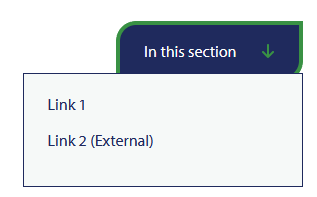
This Content Type should only be used on sections that are using the Fullwidth page layout and it adds a dropdown of links to the top of the page.
It will create a dropdown with links added via the Quicklinks element.
The links should be in an unordered list format to display the correct styling.
Example:
And example has been added to the top right of this page.
Content Element Details
| Name | Description | Size | Type | Required |
|---|---|---|---|---|
| Name | The Name Element | 80 Characters | Plain Text | true |
| Quick Links | Add the Quicklinks in the list format | 99999 Characters | Html | true |